Serial Camera Doorbell ML Application
Description
The Serial Camera Doorbell sample application uses the K351 serial camera sensor to capture a 500x500 RAW Bayer image along with a sequence of JPEG preroll images. It is capable of detecting a person within its field of view and, upon detection, automatically sends 9 JPEG preroll images to provide context before the event. To use this application, follow the instructions in the build, run, and results sections. The JPEG preroll images are saved in the overlayed_frames subfolder within the video_stream_output directory of the SynaToolkit folder.
Build Instructions
Prerequisites
Configuration and Build Steps
Configuration and Build Steps
Select Default Configuration
make cm55_serial_camera_door_bell_defconfigThis configuration uses CONFIG_WAKEUP_TRIGGER set to 1 (Timer-based wakeup).
Configure WAKEUP_TRIGGER Navigate to:
uc_jpeg_preroll.cchange to CONFIG_WAKEUP_TRIGGER set to 2 for (GPIO-based wakeup)Build the Application The build process will generate the required
.elfor.axffiles for deployment.make build or make
Deployment and Execution
Setup and Flashing
Open the Astra SRSDK VSCode Extension and connect to the Debug IC USB port on the Astra Machina Micro Kit. For detailed steps refer to the Quick Start Kit.
Generate Binary Files
FW Binary generation
Navigate to AXF/ELF TO BIN → Bin Conversion in Astra SRSDK VSCode Extension
Load the generated
sr110_cm55_fw.elforsr110_cm55_fw.axffileClick Run Image Generator to create the binary files
Refer to Astra SRSDK VSCode Extension User Guide.
Model Binary generation (to place the Model in Flash)
To generate
.binfile for TFLite models, please refer to the Vela compilation guide.
Flash the Application
To flash the application:
Navigate to IMAGE LOADING in the Astra SRSDK VSCode Extension.
Select SWD/JTAG as the service type.
Choose the respective image bins and click Flash Execute.
Flash the pre-generated model binary:
door_bell_flash(384x512).bin. Due to memory constraints, need to burn the Model weights to Flash.Location:
examples/vision_examples/uc_jpeg_preroll/models/Flash address:
0x629000Calculation Note: Flash address is determined by the sum of the
host_imagesize and theimage_offset_SDK_image_B_offset(parameter, which is defined withinNVM_data.json). It’s crucial that the resulting address is aligned to a sector boundary (a multiple of 4096 bytes).This calculated resulting address should then be assigned to theimage_offset_Model_A_offsetmacro in yourNVM_data.jsonfile.
Flash the generated
B0_flash_full_image_GD25LE128_67Mhz_secured.binfile.
Refer to the Astra SRSDK VSCode Extension User Guide for detailed instructions on flashing.
Note:
The placement of the model (in SRAM or FLASH) is determined by its memory requirements. Models that exceed the available SRAM capacity, considering factors like their weights and the necessary tensor arena for inference, will be stored in FLASH.
Running the Application
Open SynaToolkit_2.5.0
Before running the application, make sure to connect a USB cable to the Application SR110 USB port on the Astra Machina Micro board and then press the reset button
For logging output, connect to DAP logger port
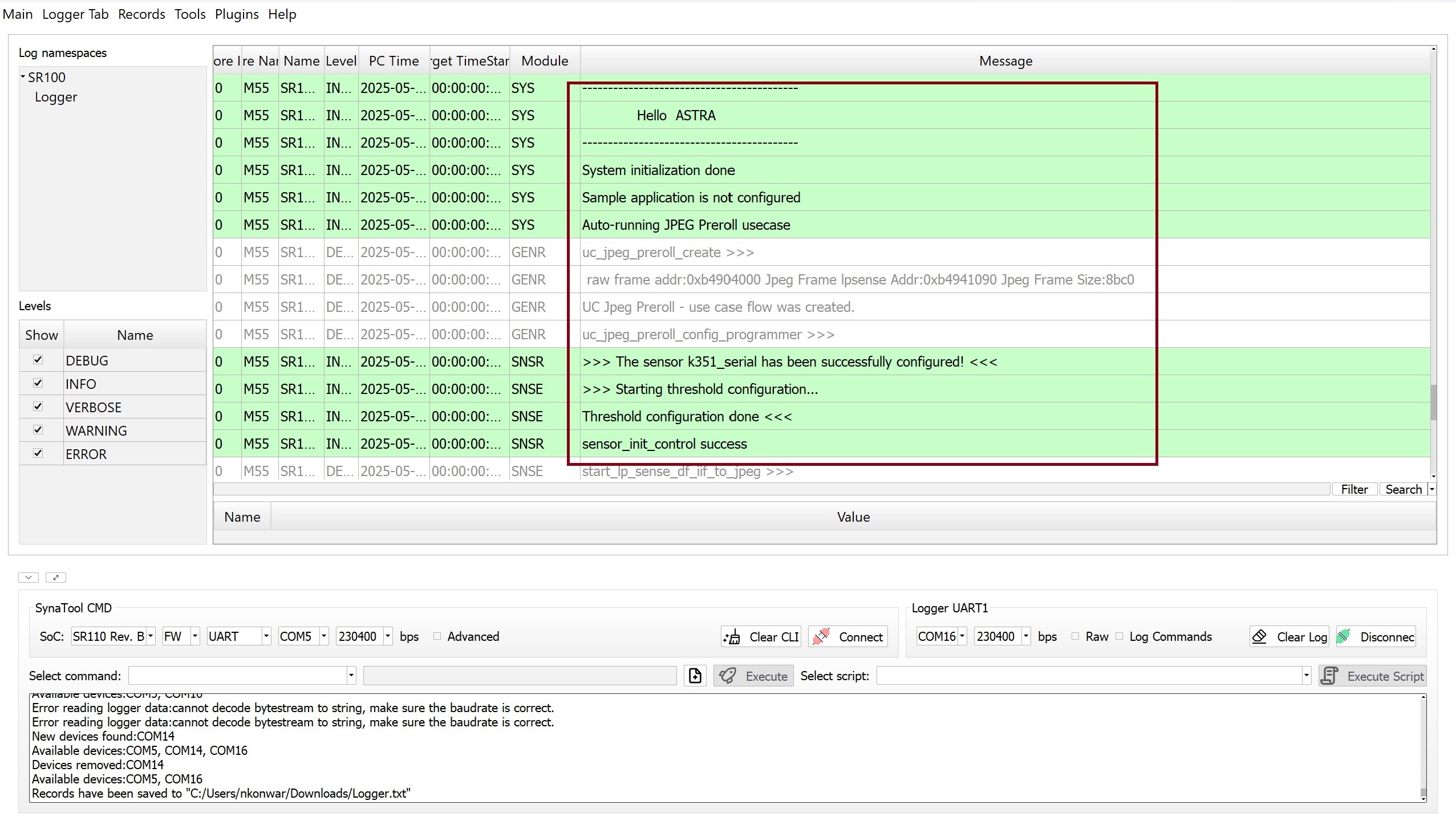
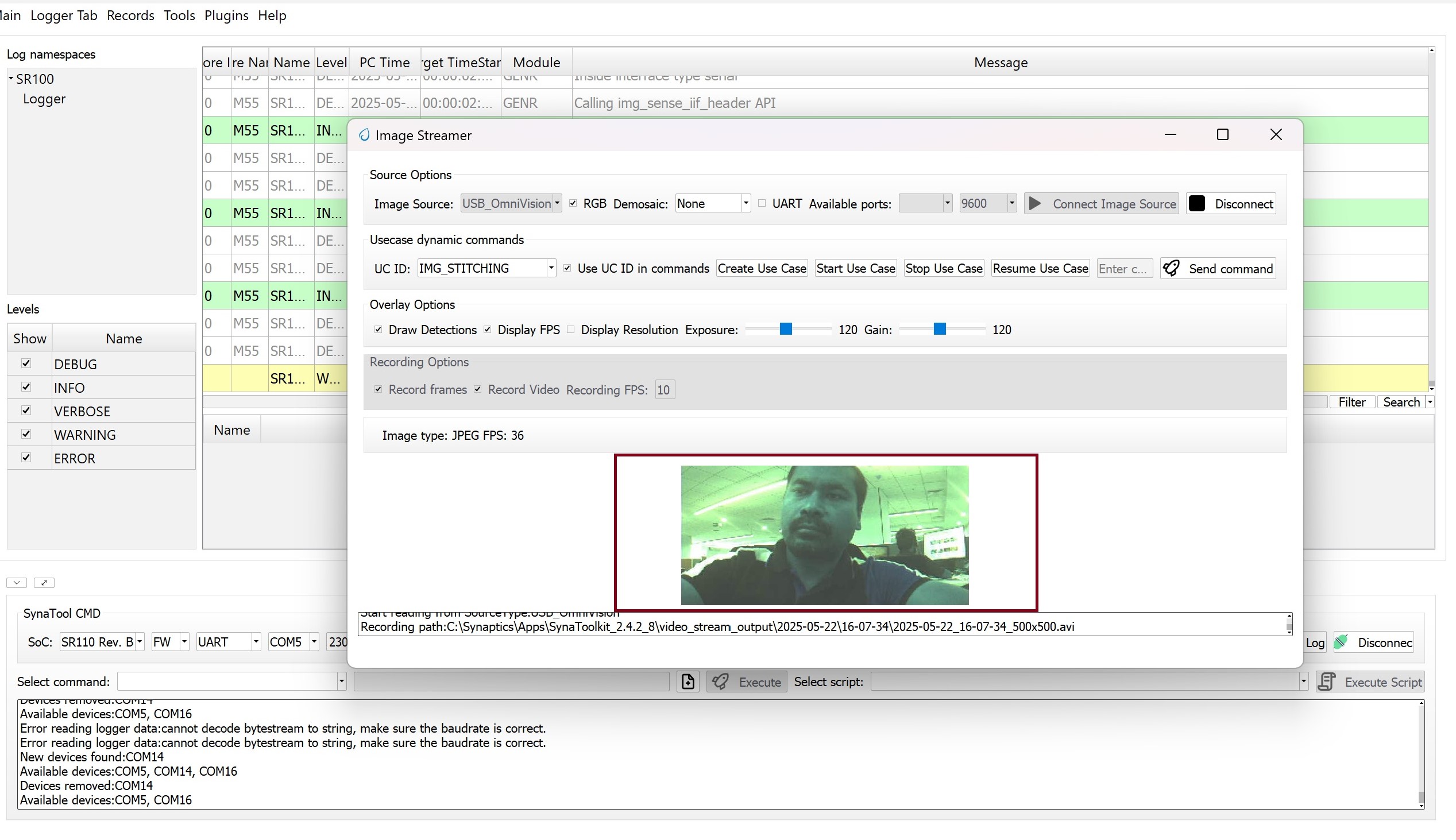
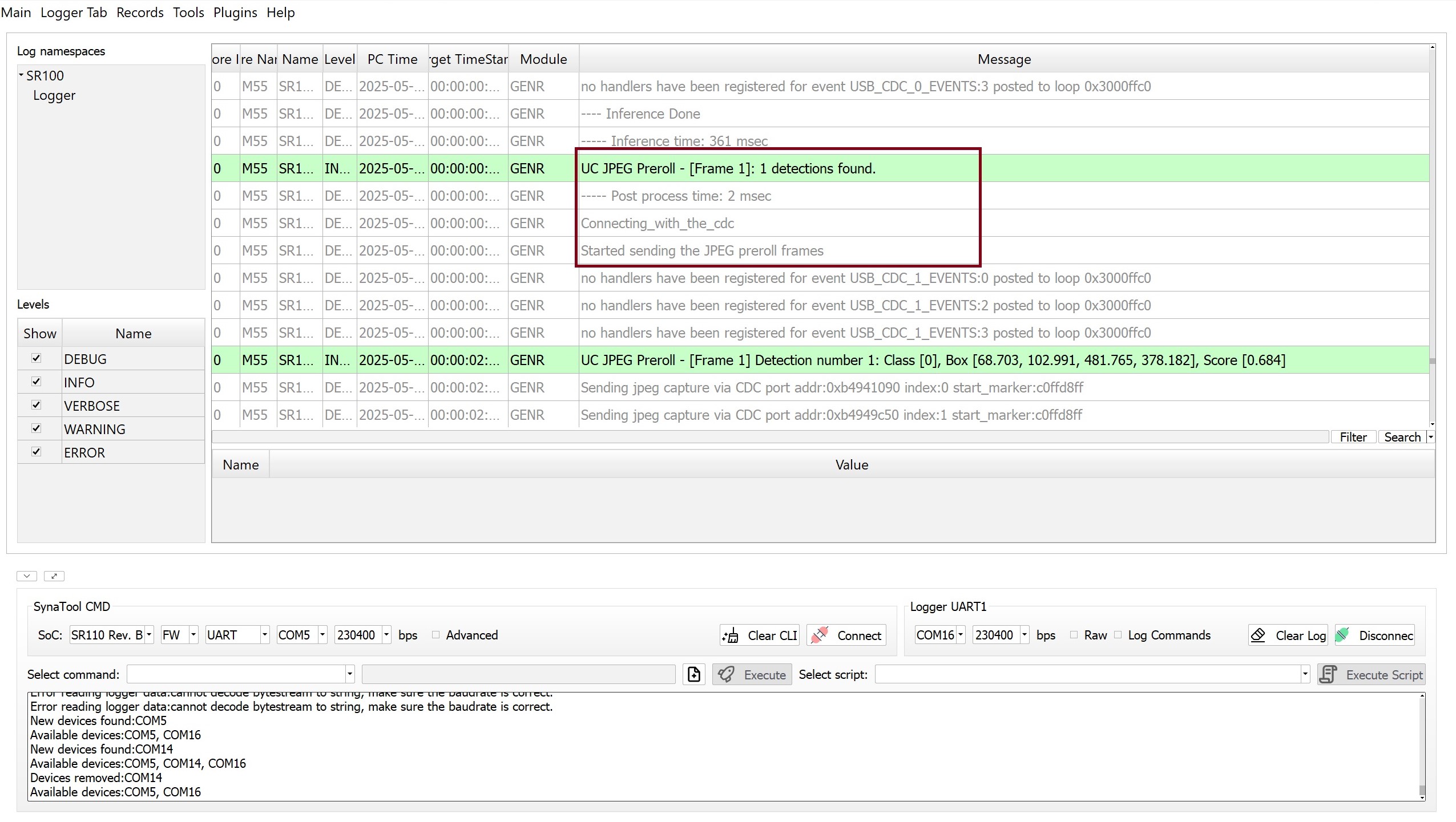
Initial Setup
After completing the setup, press the RSTN button on the SR110 RDK
Operation Flow
On person detection, the video streamer opens with the captured frame, then the device enters hibernation if one of the following conditions is met:
Wakeup Triggers
Timer (CONFIG_WAKEUP_TRIGGER = 1):
Device wakes up every 10 seconds