Hand Gesture HID Mouse Application
Description
This application extends the SR110 hand-gesture pipeline to control a host PC mouse over USB HID. The runtime path is:
Camera -> FE/NN/PP hand-gesture pipeline -> gesture interpreter -> USB HID mouse report
USB runs in composite mode (CDC + HID) so logs remain available while cursor control is active.
Use case auto-run is enabled in the provided defconfig, so Video Streamer “create usecase” is not required.
This app intentionally does not provide Video Streamer image/metadata output paths.
Prerequisites
Choose one setup path:
Hardware Requirements
SR110 Rev C
Sensor Adapter (included with the Astra Machina Micro kit)
OV5647 Camera Sensor
Building and Flashing the Example using VS Code
Use the VS Code flow described in the SR110 guide and the VS Code Extension guide:
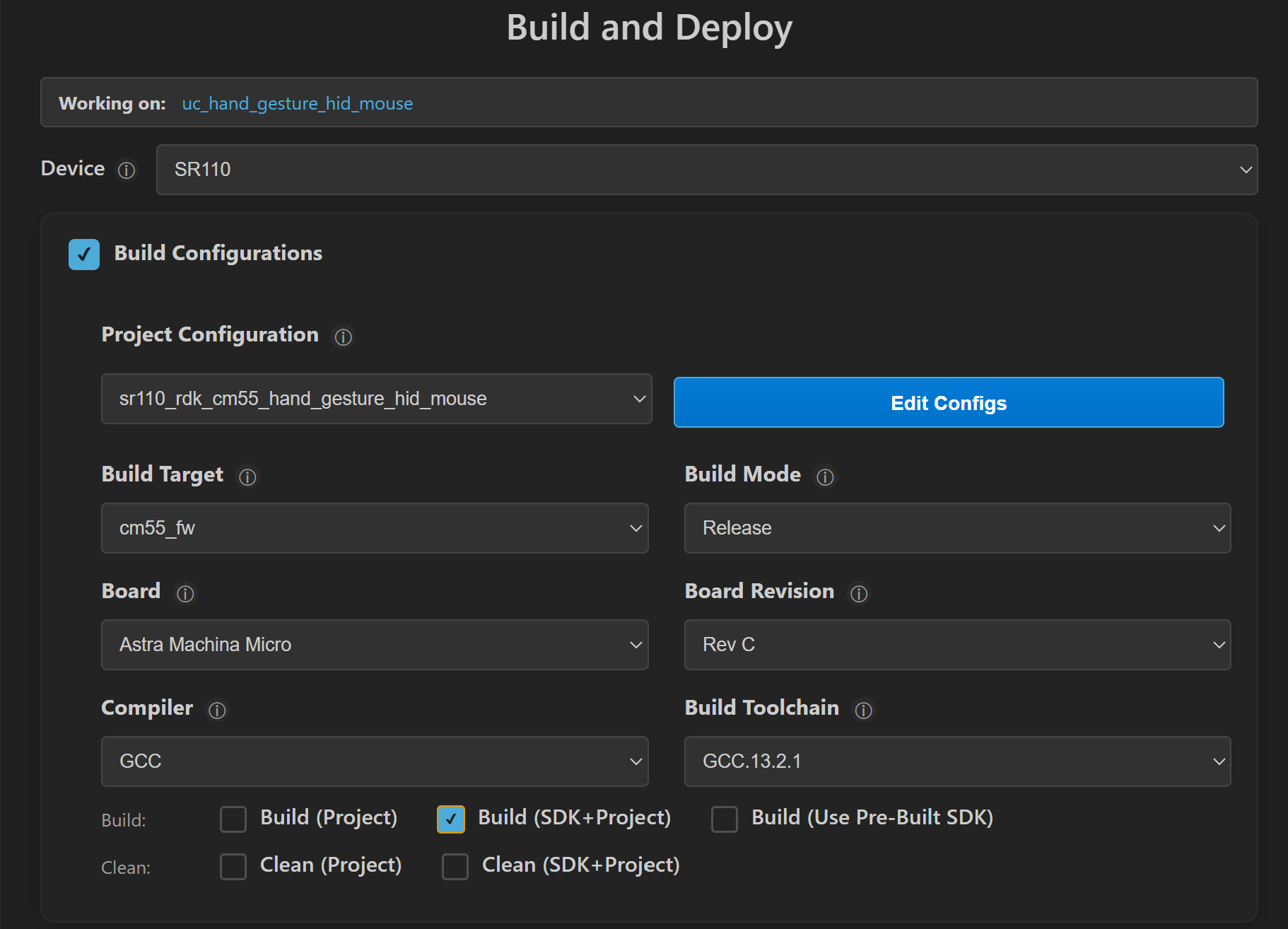
Build (VS Code):
Open Build and Deploy -> Build Configurations.
Select hand_gesture_hid_mouse in the Application dropdown.
Build with Build (SDK + App) for the first build, or Build App for rebuilds.
Flash (VS Code):
Use Image Conversion to generate the flash image.
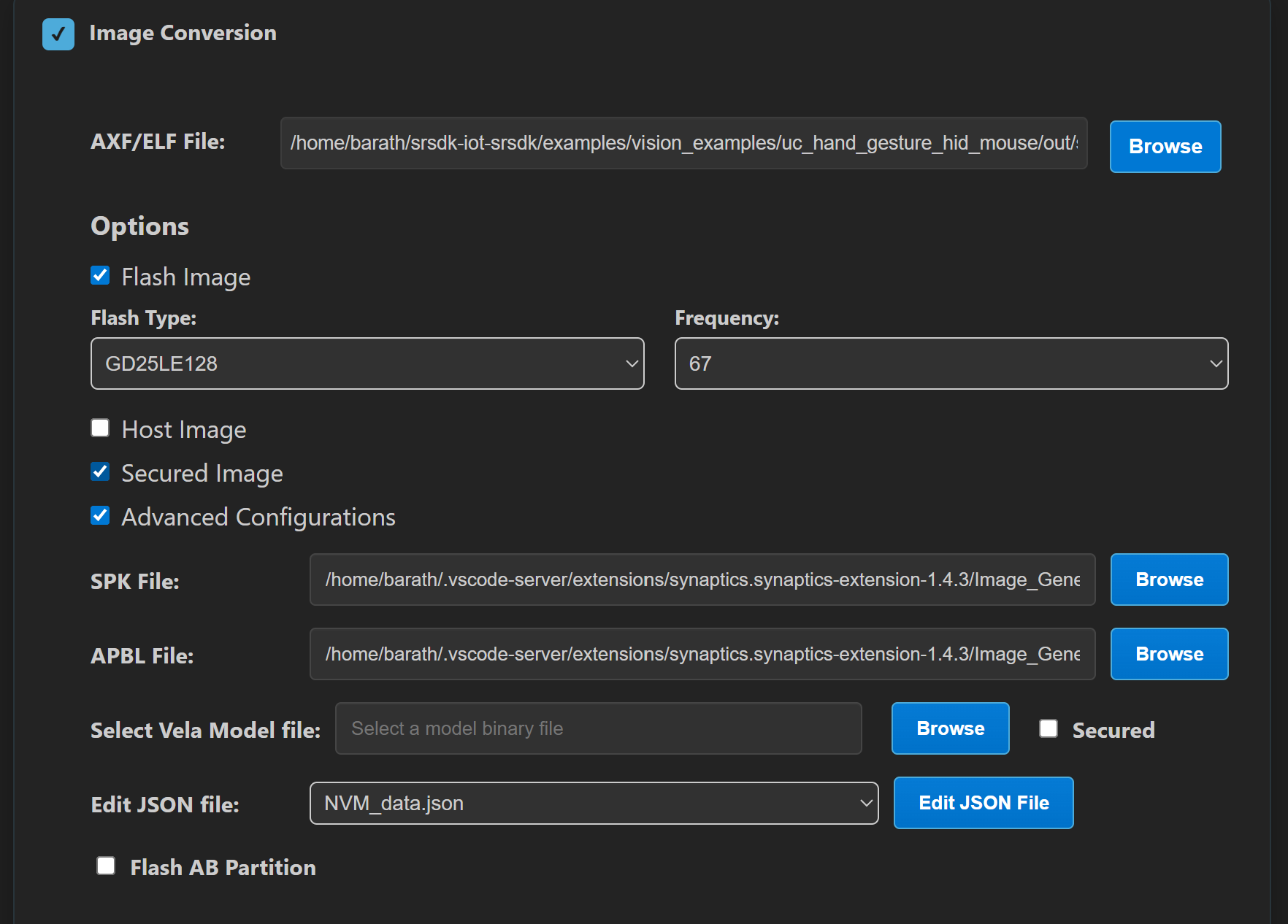
In Image Conversion, open Advanced Configurations and edit
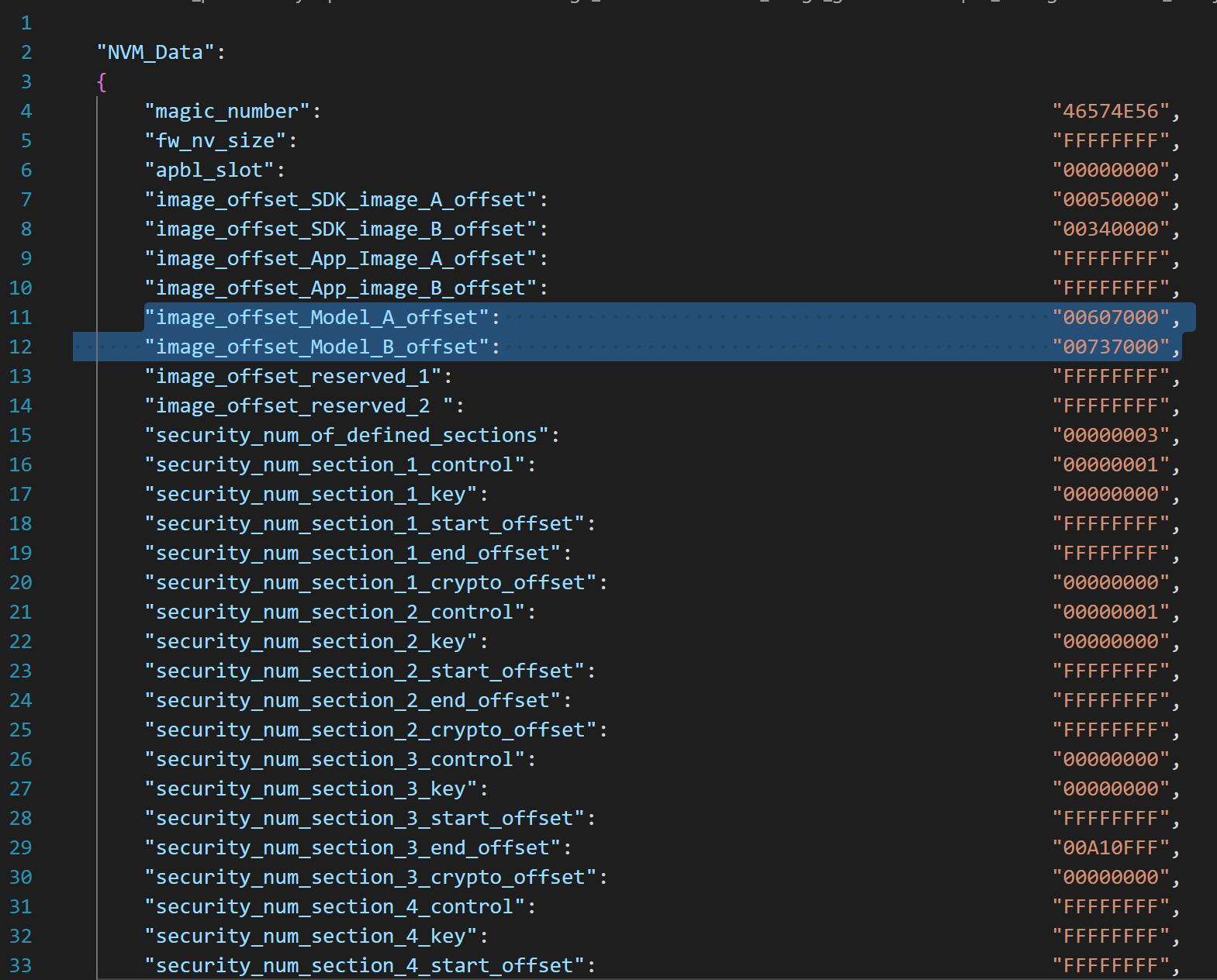
NVM_data.json.Set model flash offsets in
NVM_data.json:image_offset_Model_A_offset:00607000image_offset_Model_B_offset:00737000
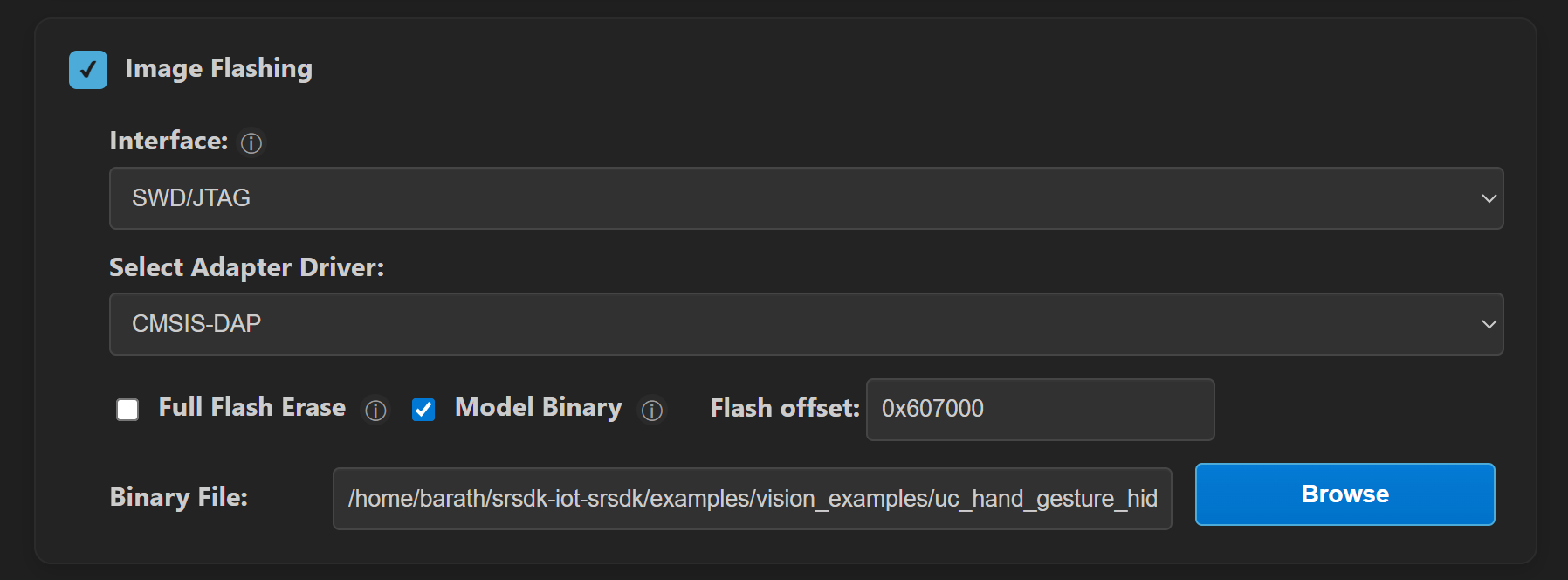
In Image Flashing (SWD/JTAG), flash the model binaries first:
hand_gesture_detection_flash(1280x704).binat0x607000hand_gesture_detection_flash(320x320).binat0x737000
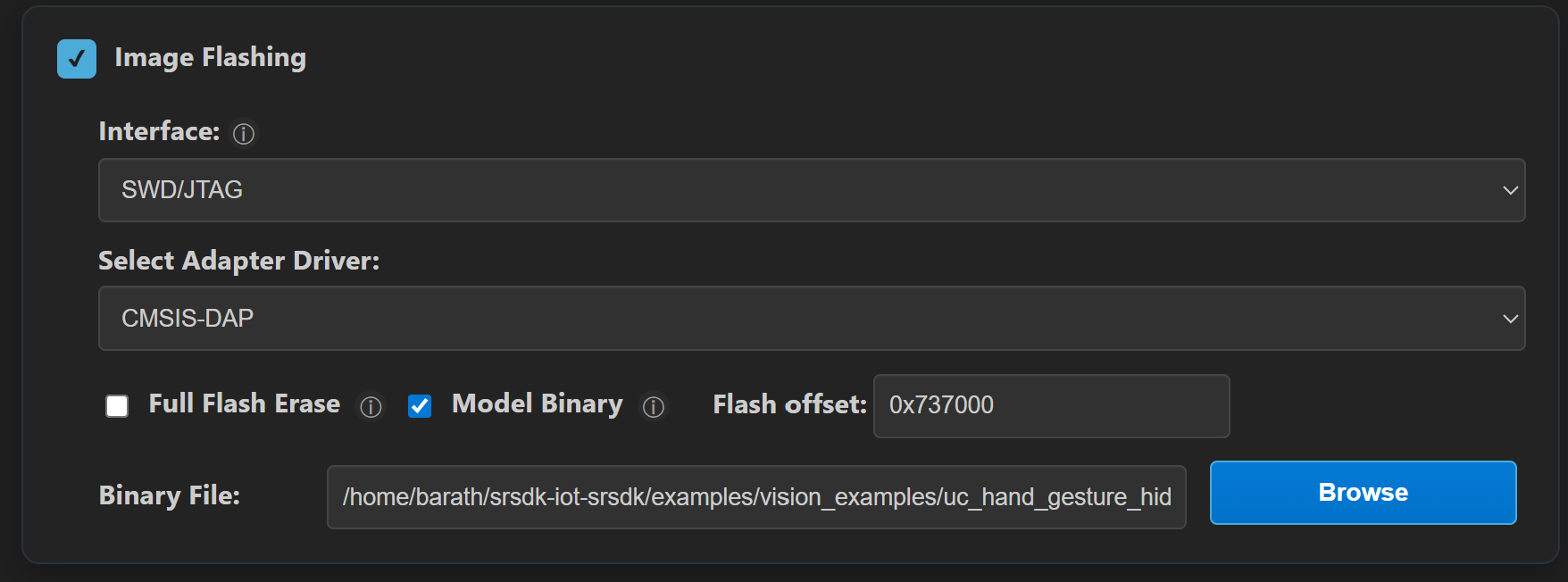
Flash the generated firmware image (
B0_flash_full_image_GD25LE128_67Mhz_secured.bin).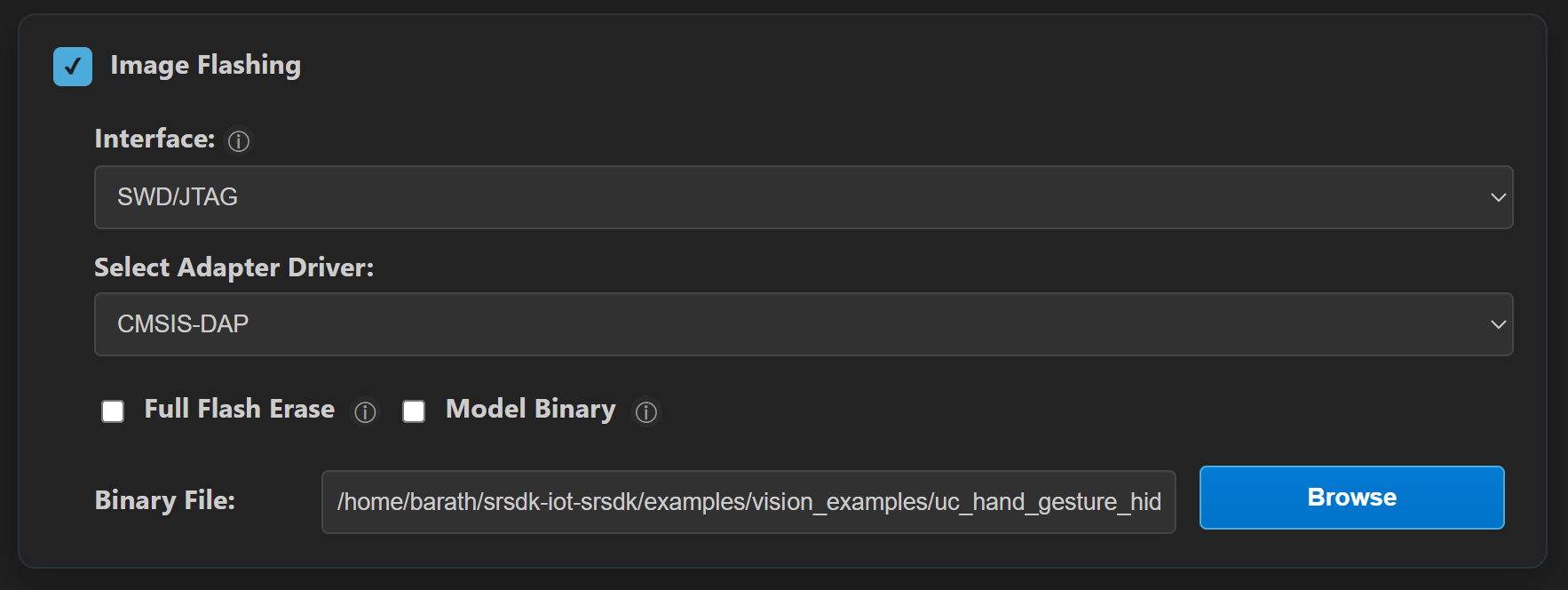
Building and Flashing the Example using CLI
Use the CLI flow described in the SR110 guide:
Build (CLI):
From app directory, build the example:
cd <sdk-root>/examples/vision_examples/uc_hand_gesture_hid_mouse
export SRSDK_DIR=<sdk-root>
make sr110_rdk_cm55_hand_gesture_hid_mouse_defconfig BUILD=SRSDK
make build BUILD=SRSDK
Flash (CLI):
Activate the SDK venv (required for image generation tools):
# Linux/macOS
source <sdk-root>/.venv/bin/activate
# Windows PowerShell
.\.venv\Scripts\Activate.ps1
Generate the flash image:
cd <sdk-root>/tools/srsdk_image_generator
python srsdk_image_generator.py \
  -B0 \
  -flash_image \
  -sdk_secured \
  -spk "<sdk-root>/tools/srsdk_image_generator/B0_Input_examples/spk_rc4_1_0_secure_otpk.bin" \
  -apbl "<sdk-root>/tools/srsdk_image_generator/B0_Input_examples/sr100_b0_bootloader_ver_0x012F_ASIC.axf" \
  -m55_image "<sdk-root>/examples/out/sr110_cm55_fw/release/sr110_cm55_fw.elf" \
  -flash_type "GD25LE128" \
  -flash_freq "67"
Flash model binaries first:
cd <sdk-root>
python tools/openocd/scripts/flash_xspi_tcl.py \
  --cfg_path tools/openocd/configs/sr110_m55.cfg \
  --image examples/vision_examples/uc_hand_gesture_hid_mouse/models/hand_gesture_detection_flash(1280x704).bin \
  --flash-offset 0x607000

python tools/openocd/scripts/flash_xspi_tcl.py \
  --cfg_path tools/openocd/configs/sr110_m55.cfg \
  --image examples/vision_examples/uc_hand_gesture_hid_mouse/models/hand_gesture_detection_flash(320x320).bin \
  --flash-offset 0x737000
Flash the firmware image:
cd <sdk-root>
python tools/openocd/scripts/flash_xspi_tcl.py \
  --cfg_path tools/openocd/configs/sr110_m55.cfg \
  --image tools/srsdk_image_generator/Output/B0_Flash/B0_flash_full_image_GD25LE128_67Mhz_secured.bin \
  --erase-all
Gesture Mapping (v1)
Gesture |
HID Action |
|---|---|
Palm |
Cursor movement |
Four |
Left click |
Pinch |
Right click |
Fist (short) |
Double click |
Fist (hold for 3s) |
Toggle drag mode (left button hold/release) |
Notes:
Drag mode ON: moving palm drags with left button held.
Drag mode OFF: moving palm only moves cursor.
No-hand and low-confidence cases are handled as safe fallback (no movement/click trigger).
Run
Connect
Application SR110 USBto host.Reset the board.
The use case starts automatically after boot (no host command required).
Verification Checklist
Host enumerates both CDC and HID mouse interfaces.
Logger shows normal app startup (no USB init errors).
No Video Streamer interaction is required to start the app.
Palm movement moves host cursor.
Four fingers performs left click.
Pinch gesture performs right click.
Fist gesture performs double click.
Holding fist for 3 seconds toggles drag mode ON/OFF.
With drag mode ON, palm movement drags (left button held).
With no hand in frame, cursor does not drift and no click is generated.
Tunable Parameters
The following are app-local Kconfig parameters in this app:
CONFIG_APP_GM_ACTION_CONFIDENCE_THRESHOLD_X100CONFIG_APP_GM_STABLE_FRAME_COUNTCONFIG_APP_GM_CURSOR_DEADZONECONFIG_APP_GM_CURSOR_SPEED_PERCENTCONFIG_APP_GM_CURSOR_SMOOTHING_ALPHA_X100CONFIG_APP_GM_MAX_DELTA_PER_REPORTCONFIG_APP_GM_REPORT_INTERVAL_MSCONFIG_APP_GM_CLICK_COOLDOWN_MSCONFIG_APP_GM_DOUBLE_CLICK_GAP_MSCONFIG_APP_GM_NO_HAND_TIMEOUT_MS